Tax Season Content Automation
Replacing a daily 30-60 minute manual workflow with a single Python command
Overview

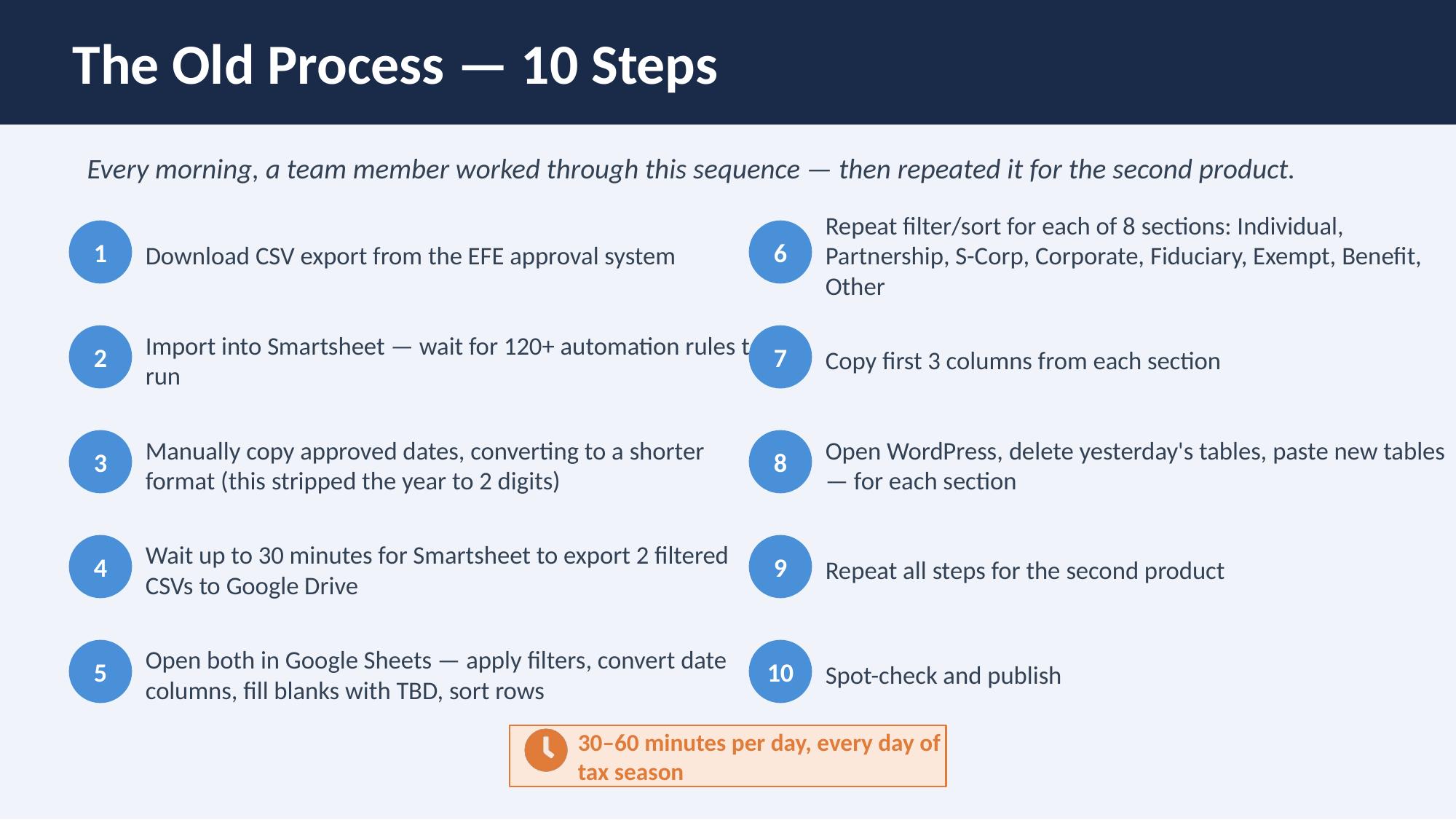
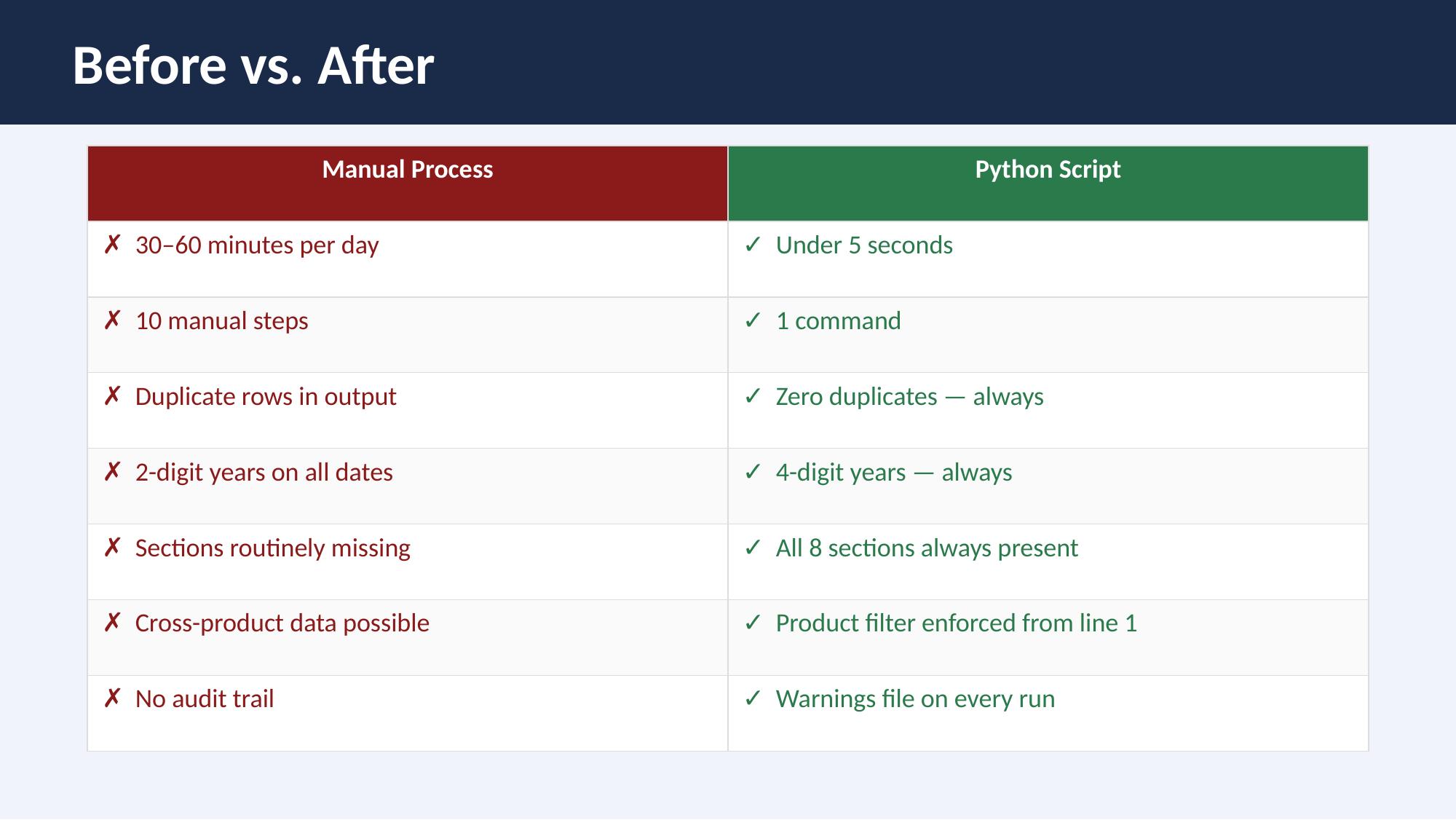
During tax season, the Intuit ProTax content team needed to publish daily updates to Agency Approval help articles across multiple professional tax products. The existing process was entirely manual: export CSVs from an internal source, cross-reference and update rows in a Smartsheet, manually format content, copy it into WordPress, and publish. The full workflow took 30-60 minutes per day, was repeated every business day during the season, and was prone to systematic errors—duplicate rows, formatting inconsistencies, and missed updates.
The Problem
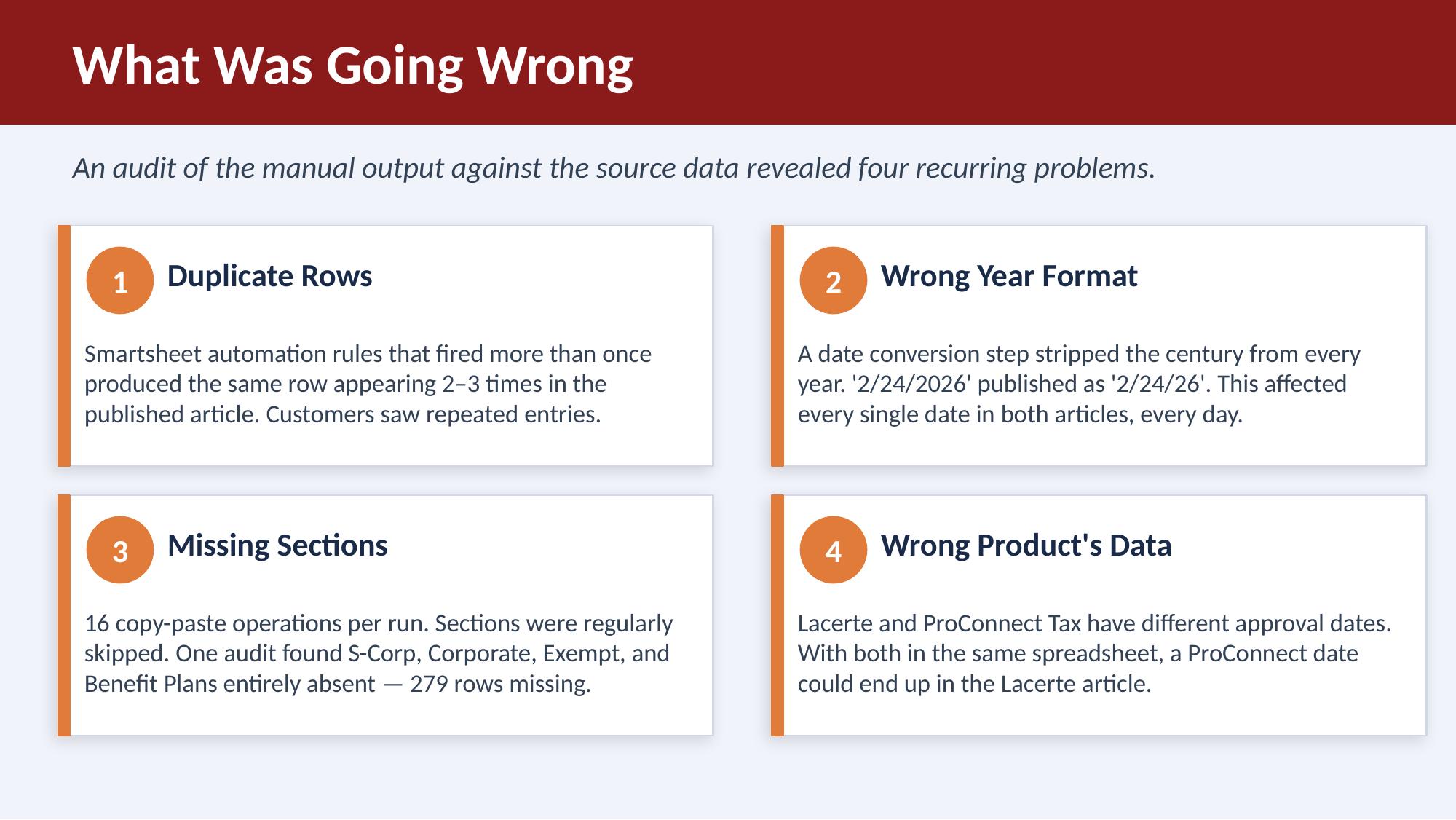
The workflow involved 10 discrete manual steps across 4 different tools (internal data source, Excel/CSV, Smartsheet, WordPress). Each handoff introduced risk: duplicate rows from copy-paste errors, inconsistent formatting between articles, and no validation layer to catch mistakes before publishing.
These articles are compliance-critical—professional accountants rely on them to know which tax forms have been approved by agencies, so errors directly impact trust and could lead to filing mistakes.
The Solution
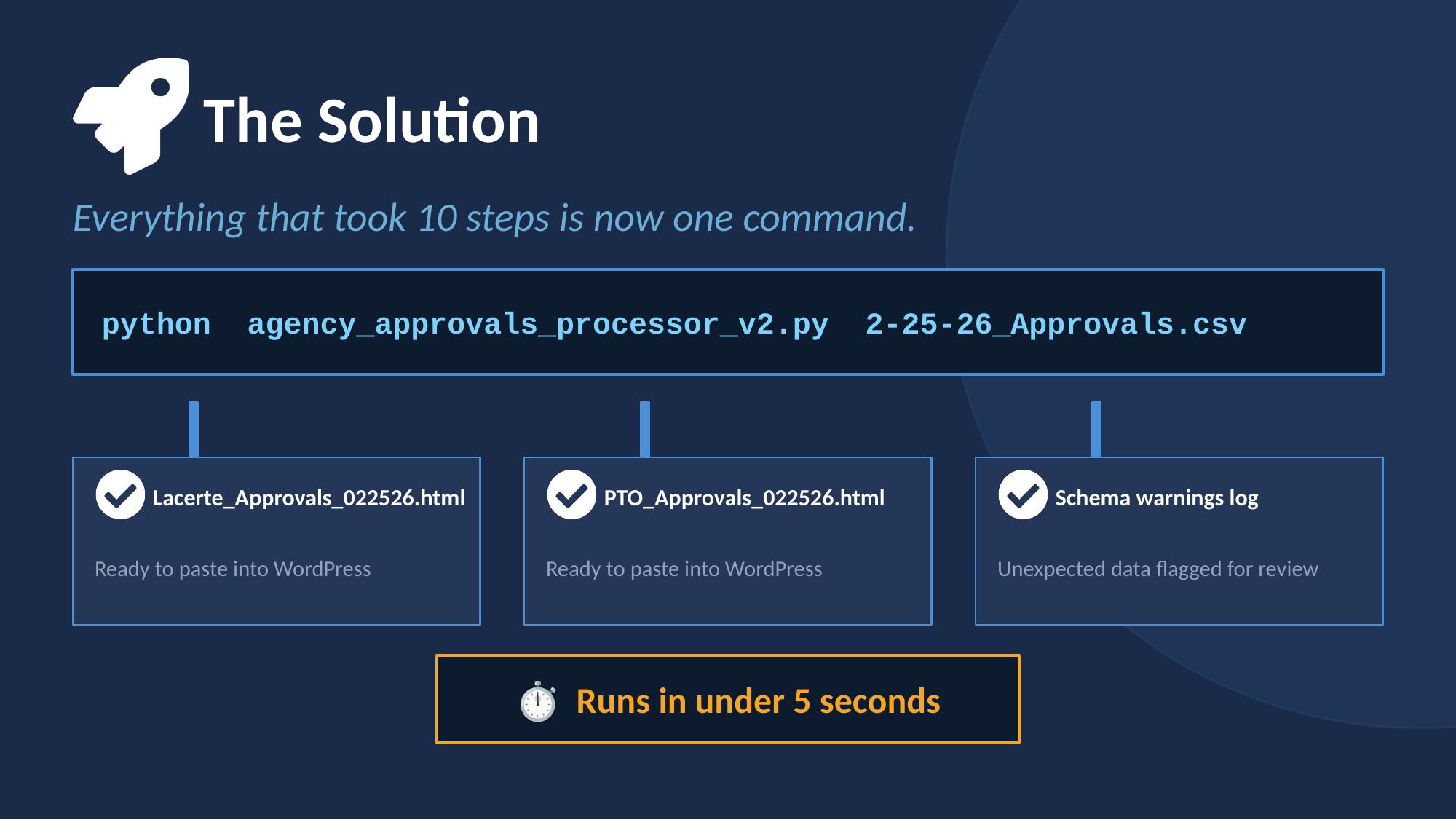
Built a Python automation script that consolidates the entire pipeline into a single command. The script:
- Pulls the source data
- Processes and deduplicates CSV rows
- Generates properly formatted article-ready HTML
- Integrates with the Smartsheet API for status tracking
- Prepares content for WordPress publishing
What previously took 30-60 minutes of focused manual work now executes in approximately 5 seconds.
Publishing to WordPress
The script's output is article-ready HTML — formatted, validated, and structured to match the existing WordPress templates. The team member running the script simply copies the output HTML and pastes it into WordPress's Gutenberg editor, replacing the previous day's tables. What previously required navigating 8 sections, deleting old content, and pasting new content for each section is now a single paste operation per product.
Impact
- Reduced daily workflow from 30-60 minutes to ~5 seconds
- Eliminated systematic errors (duplicate rows, formatting inconsistencies)
- Ensured 100% accuracy in compliance-critical content
- Freed up team capacity for higher-value content design work during the busiest season
- Process was documented and handed off so any team member could run it
What This Demonstrates
This project sits at the intersection of content design and systems thinking. It wasn't a traditional UX deliverable—there's no mockup or wireframe. But it reflects the same core skill: seeing a broken process, understanding the user need (accurate, timely content), and designing a solution that scales.
It also reflects a growing part of my practice: using technical skills (Python, data processing, API integrations) to solve content problems that pure writing can't fix.